
What it is
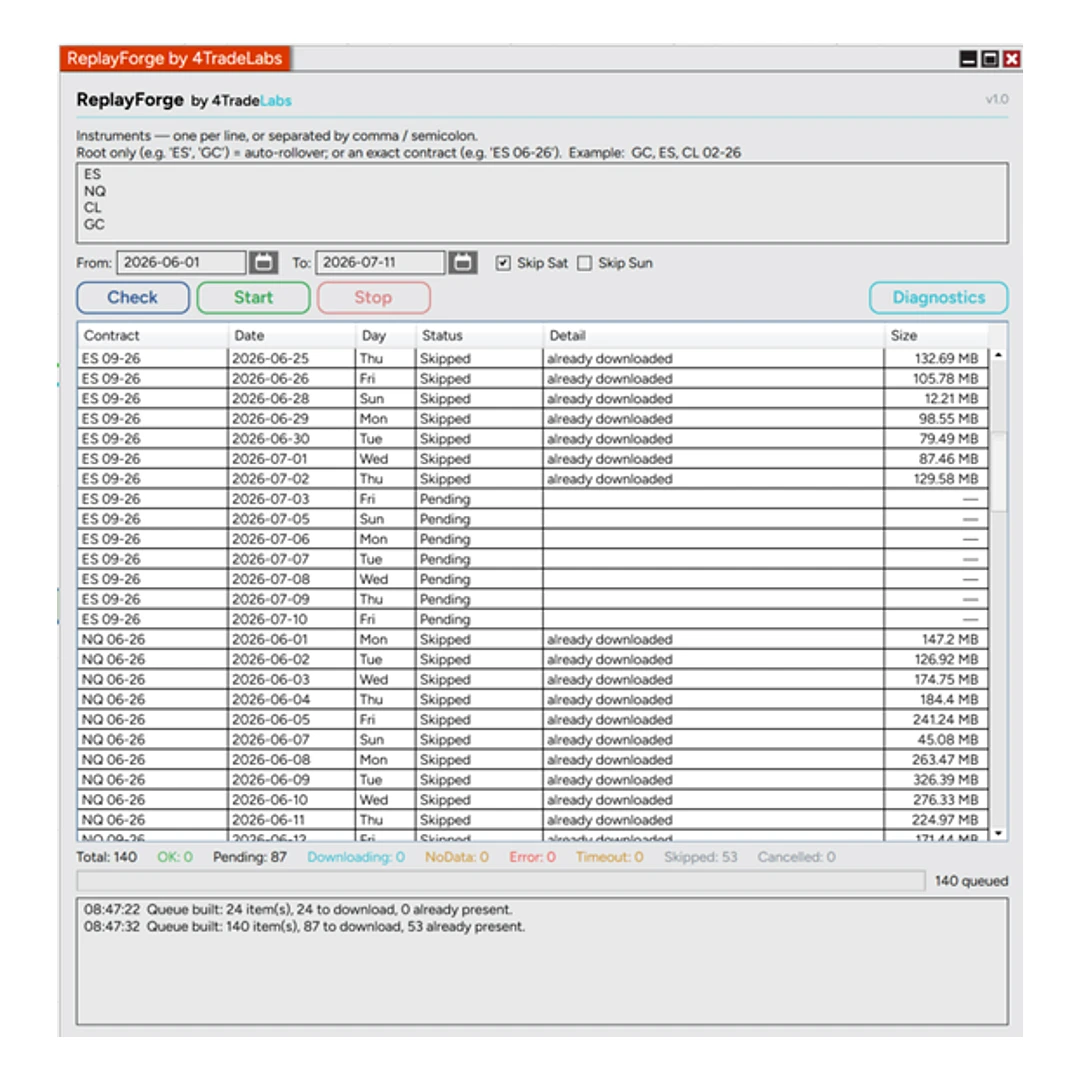
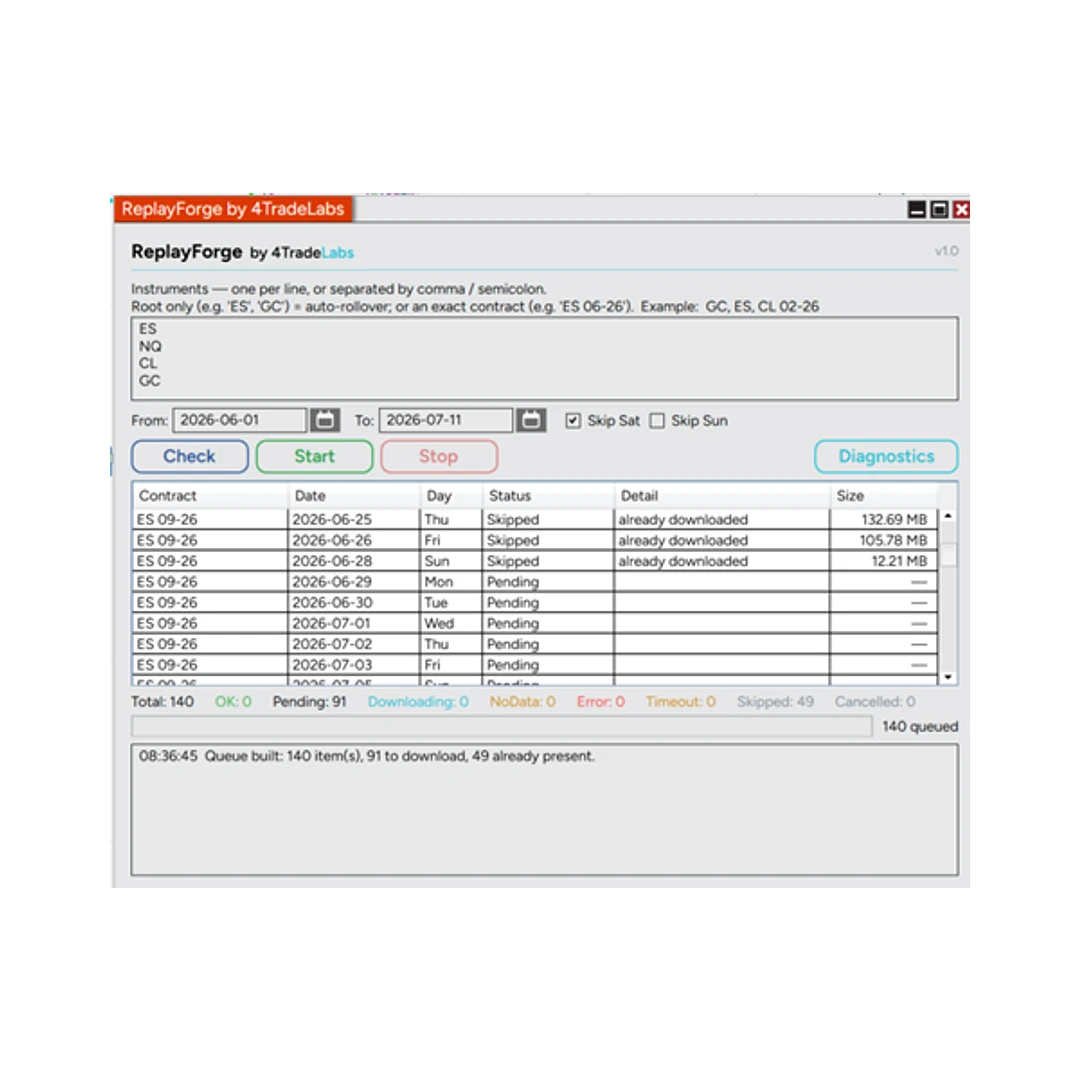
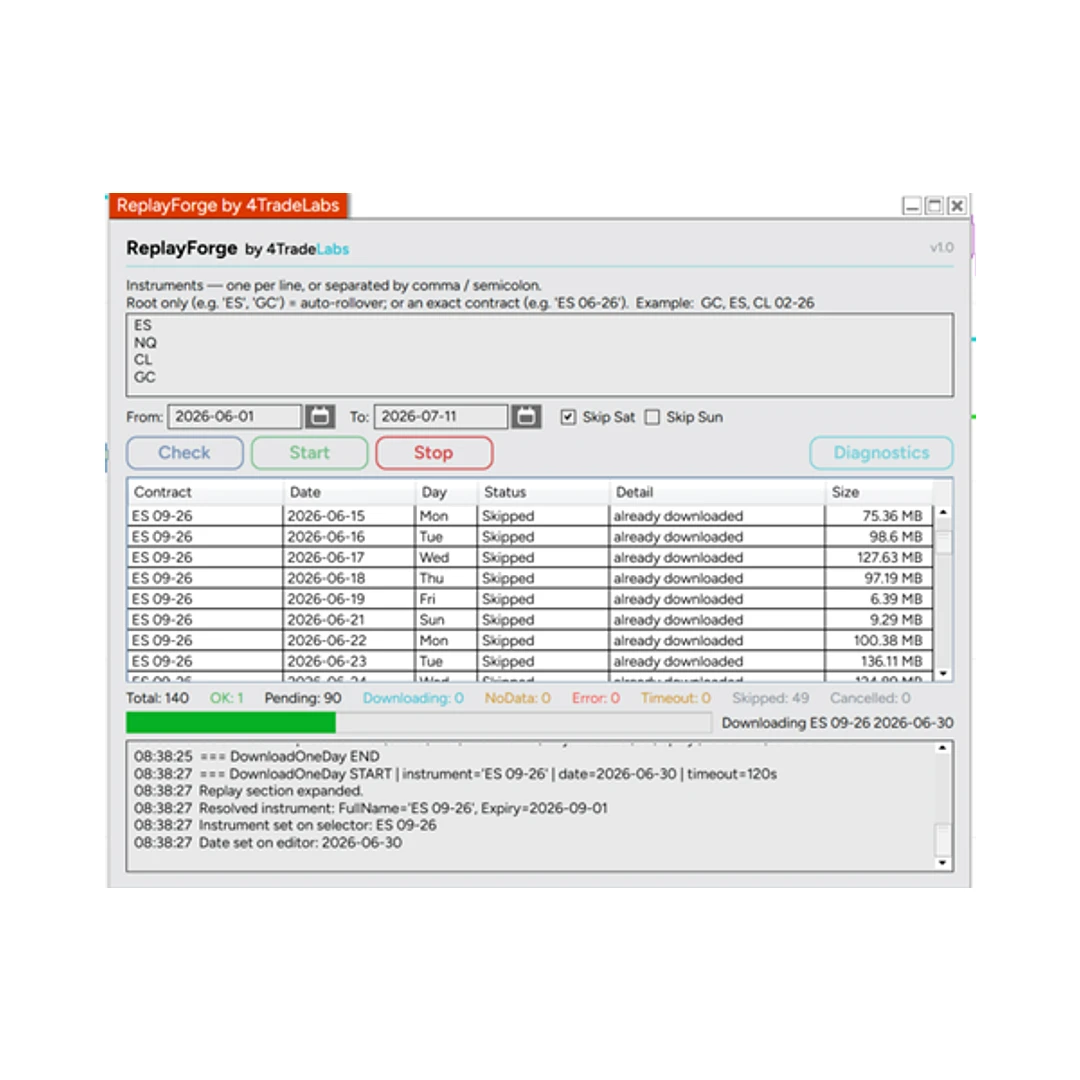
ReplayForge is a NinjaTrader 8 add-on that appears in the main NT8 menu, right below Historical Data. It automates bulk downloading of Market Replay data for a date range using NinjaTrader’s own downloader — so you no longer repeat the same routine for every day and every instrument.
Why
Downloading Market Replay data by hand is tedious: one instrument and one day at a time, re-checking what you already have, and dealing with contract changes. ReplayForge does all of that for you.
Key features
- In the NT8 main menu — added right below Historical Data; no chart required.
- Whole period at once — set an instrument plus From/To dates and let it run.
- No full contract needed — enter just the instrument root (e.g.
ES,NQ); ReplayForge resolves the correct contract automatically. - Smart skip — checks which days in the range are already downloaded and does not re-download them.
- Rollover-aware — if the contract changes within the period, ReplayForge detects the rollover and downloads across all contracts that fall in the range.
- Standard downloader — uses NinjaTrader’s own Market Replay downloader under the hood: same data, no workarounds.
- Convenience options such as skipping weekends, plus a live queue/progress view with per-day status and sizes.
Requirements
- NinjaTrader 8 with a data connection that provides Market Replay / historical data.
What’s included
- The add-on file (.zip import for NT8).
- Installation and setup instructions.
- Free updates within the current product logic. (Future versions with fundamentally new or more advanced logic may be sold separately.)
- Support.
Licensing
- Lifetime license, no subscription. Pay once.
- Up to 2 machines per license (bound to your NT8 Machine ID). Activate under My Account → Machine ID.
FAQ
Do I need to enter the exact contract? No — the instrument root is enough; ReplayForge resolves the contract and handles rollovers.
Will it re-download data I already have? No — it checks the range and skips days already present.
What if the contract rolls over inside my date range? ReplayForge detects the rollover and downloads across the relevant contracts.
Where does it appear? In the NinjaTrader 8 main menu, below Historical Data.