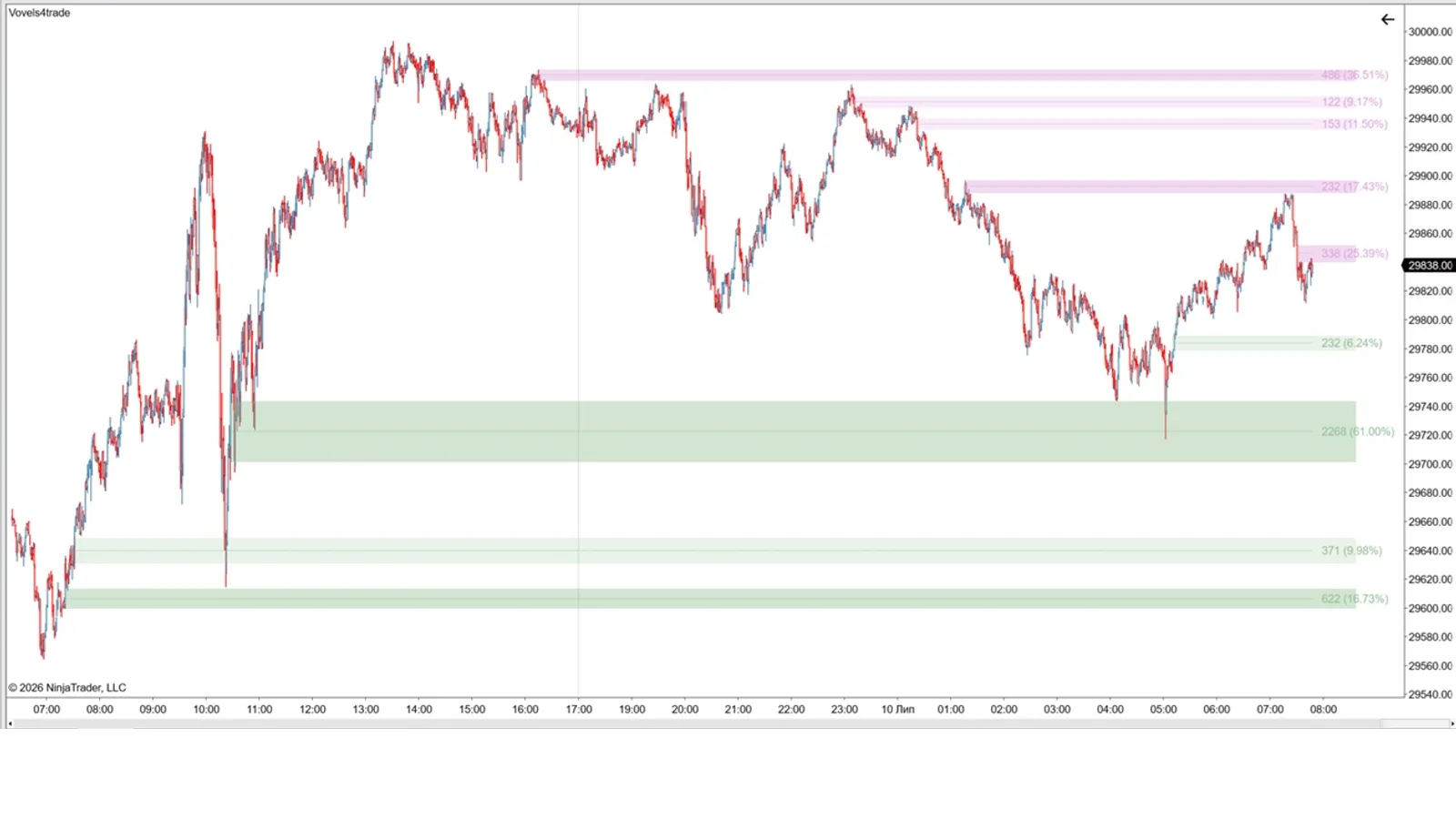
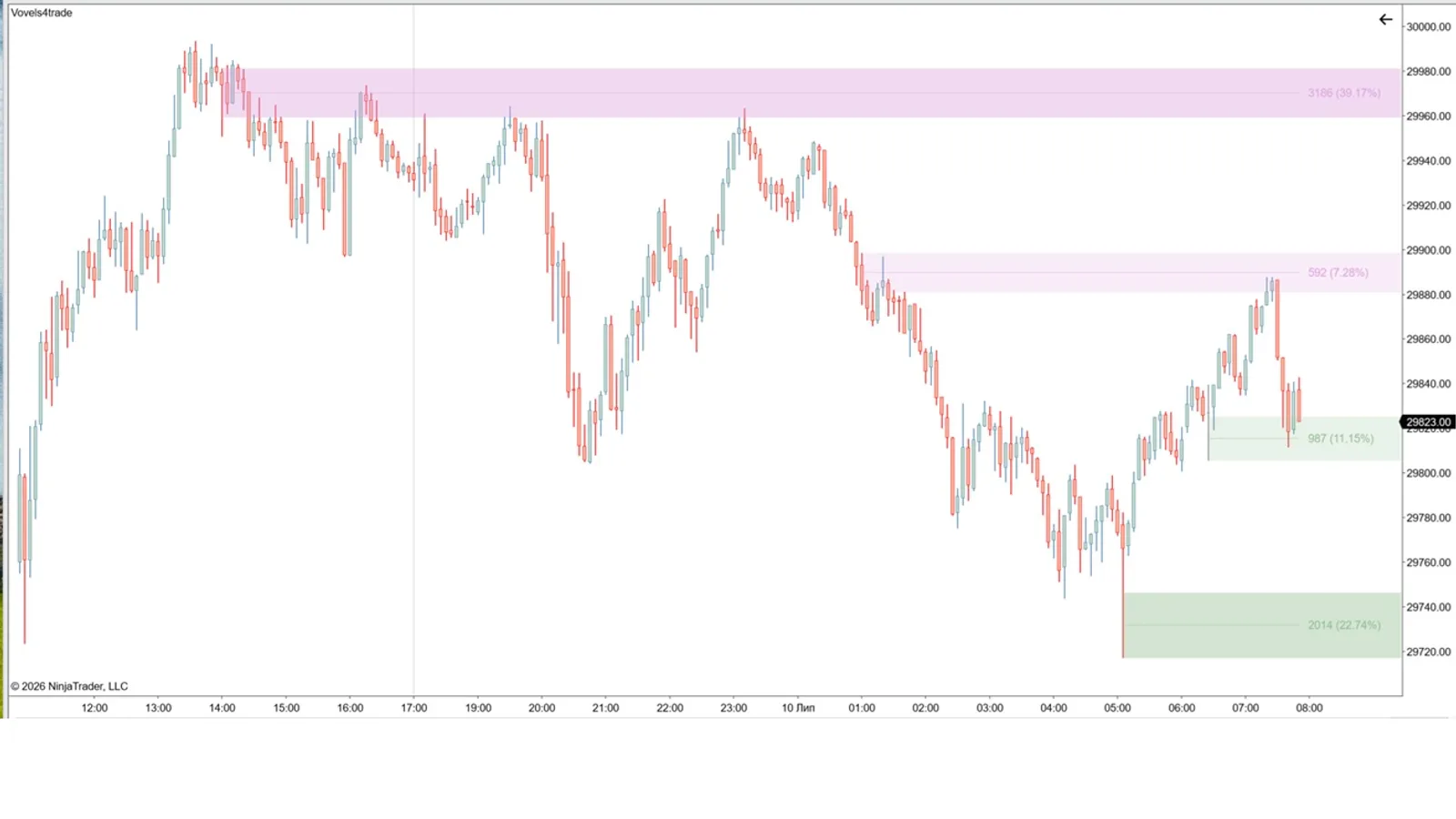
What it is
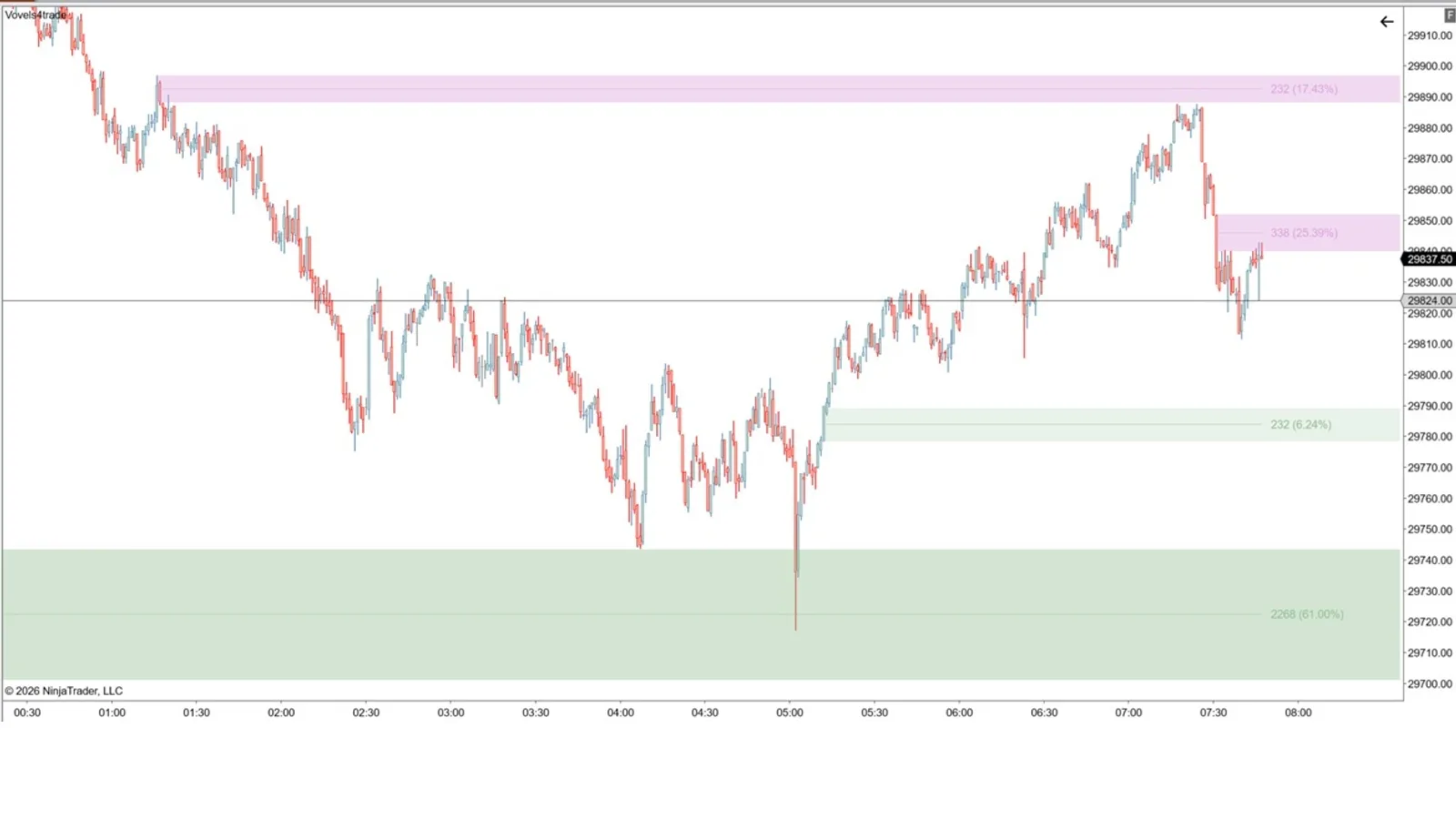
Vovels4Trade highlights Volume Level Zones — price areas where elevated volume accumulated. The indicator scans ranges of candles where the maximum volume falls on a key candle of the range and marks those areas as significant support and resistance. Instead of guessing levels from price alone, you see zones confirmed by real traded volume.
For whom
Intraday and swing futures traders (ES, NQ, CL, GC and more) who trade from volume and levels. The indicator adapts to your style — from a broad view of volume zones to the strictest POC-based reversal levels. Works on any timeframe.
Key features
- Automatic volume-zone detection — maximum volume on the key candle of the range.
- Separate bullish and bearish zones — choose how many zones to show on each side of price (e.g. 5 or 10).
- % of volume per zone relative to the total across zones.
- Significance highlighting — set a volume-% threshold above which zones count as more important and are shaded darker.
- Three strictness modes — from all volume zones to POC-based reversal levels.
- Zone completion logic — zones do not repaint; a zone is removed once price trades fully through it and closes on the opposite side, after which levels are recalculated.
How it works — three modes
- Default. Finds ranges where the maximum volume falls on the last candle of the range — these are the elevated-volume zones. Shows your chosen number of bullish and bearish zones, computes the % of volume for each, and highlights the most significant ones.
- Reversal levels. Keeps only zones where a reversal occurred: the maximum volume fell on the central candle of the range, which is also a local extreme. Fewer levels, higher precision.
- POC reversal (strict). Extends mode 2 with an extra condition: the POC of the reversal candle sits in the wick (upper wick for a bearish zone, lower wick for a bullish zone). This is the strictest condition and shows areas of price rejection most clearly. Requires Tick Replay enabled on the chart.
Zone completion. Zones do not repaint. A zone is considered worked off and removed when price passes fully through it and closes on the other side. After removal the zones are recalculated, and a farther zone may appear in its place — the configured maximum number of displayed zones is preserved.
Alerts
Built-in alerts keep you notified about the three key VoVel events, independently for bullish and bearish zones:
- VoVel formed — a new volume zone appears on the chart.
- VoVel crossed — price crosses a zone.
- Price inside VoVel — price enters and trades within a zone.
Each of these alerts is toggled independently, and the on-chart alert text is fully configurable — position, color, size and display duration.
Requirements
- NinjaTrader 8, an instrument with volume data.
- For mode 3 (POC) — Tick Replay enabled on the chart.
What’s included
- Vovels4Trade indicator file (.zip import for NT8).
- Installation and setup instructions.
- Free updates within the current product logic. (Future versions with fundamentally new or more advanced logic may be sold separately.)
- Support.
Licensing
- Lifetime license, no subscription. Pay once.
- Up to 2 machines per license (bound to your NT8 Machine ID). Activate under My Account → Machine ID.
FAQ
Does it repaint levels? No. Zones do not repaint. A zone is only removed when price trades fully through it and closes on the opposite side (the base worked-off condition). Levels are then recalculated, and a farther zone may appear because the configured maximum number of zones is kept constant.
Which instruments does it work on? Any instrument with volume data (futures and more).
Why does mode 3 need Tick Replay? It uses POC values, which are only available with tick data (Tick Replay).
How do I activate? Enter your NT8 Machine ID under My Account.