What it is
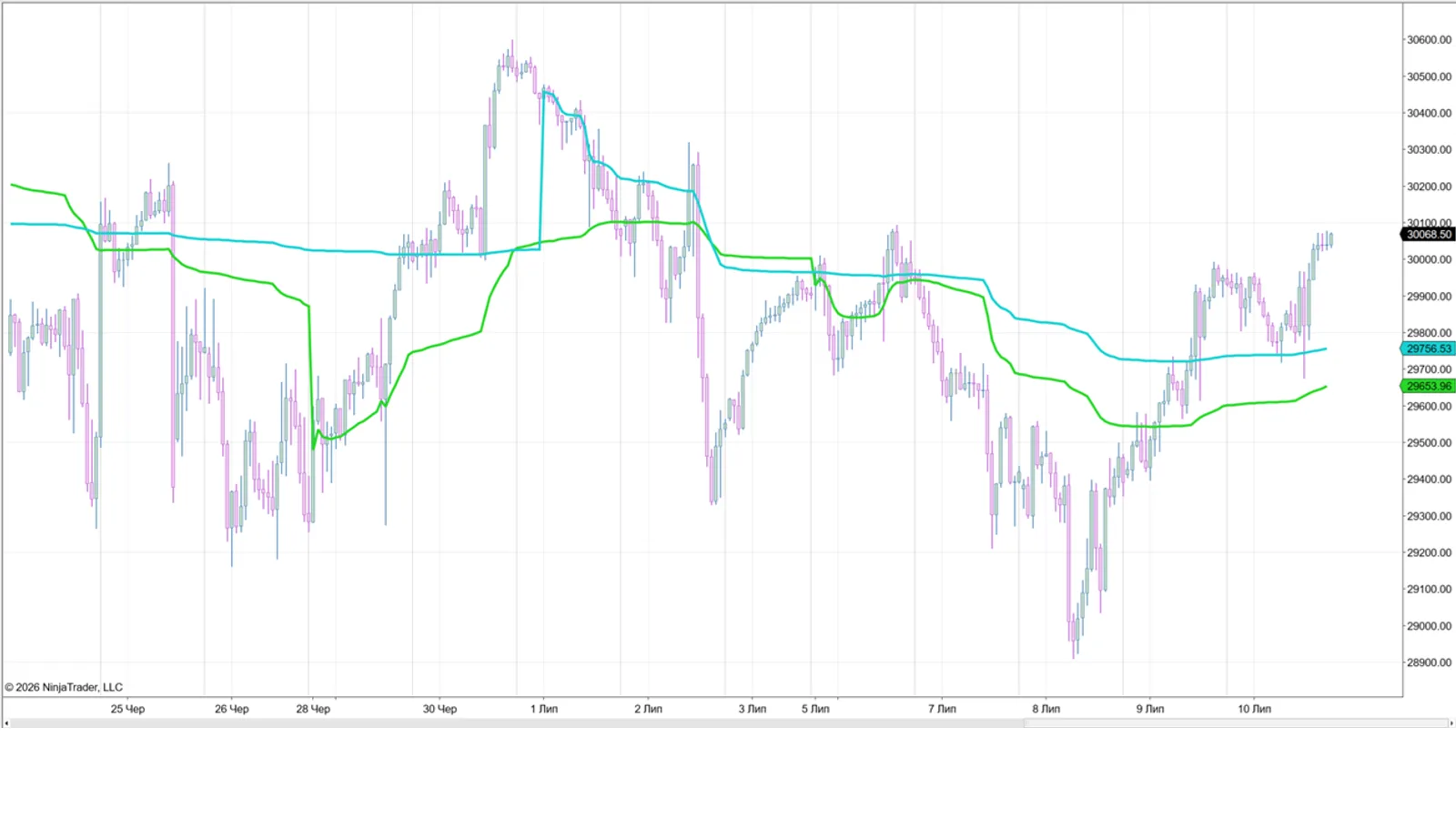
Week&MonthVWAP4Trade is a single indicator that brings the volume-weighted average price of a significantly higher timeframe onto your working chart. It can draw the weekly VWAP and the monthly VWAP — each enabled independently by a flag in the settings.
Why higher-timeframe VWAP
VWAP is a well-known value / mean-reversion reference. Anchored to the week or the month, it gives you the context of a much higher timeframe right on the chart you trade — without switching charts.
For whom
Intraday and swing futures traders who use VWAP as a value reference and want weekly / monthly context on their working chart.
Key features
- Weekly VWAP — anchored to the week; re-anchors at each new week. Toggle on/off in settings.
- Monthly VWAP — anchored to the month; re-anchors at each new month. Toggle on/off in settings.
- One indicator, two lines — show weekly, monthly, or both from a single instance.
- Higher-timeframe context on any working chart / timeframe.
Requirements
- NinjaTrader 8, an instrument with volume data.
What’s included
- The indicator file (.zip import for NT8).
- Installation and setup instructions.
- Free updates within the current product logic. (Future versions with fundamentally new or more advanced logic may be sold separately.)
- Support.
Licensing
- Lifetime license, no subscription. Pay once.
- Up to 2 machines per license (bound to your NT8 Machine ID). Activate under My Account → Machine ID.
FAQ
Is this one indicator or two? One indicator with two VWAP lines — weekly and monthly — each toggled independently in the settings.
Do I have to show both? No. Enable the weekly line, the monthly line, or both.
Which instruments does it work on? Any instrument with volume data (futures and more).
How do I activate? Enter your NT8 Machine ID under My Account.